
Baby Care at a Glance with Nubo Live Activities
“When did the baby last feed?” You are holding a bag, a bottle, and the baby, and you cannot remember whether that feed happened before or after you went out. Or you come home and wonder, “Was there a diaper change while I was gone?” Baby care at a glance means getting those answers without asking someone to repeat the day or digging through a timeline.
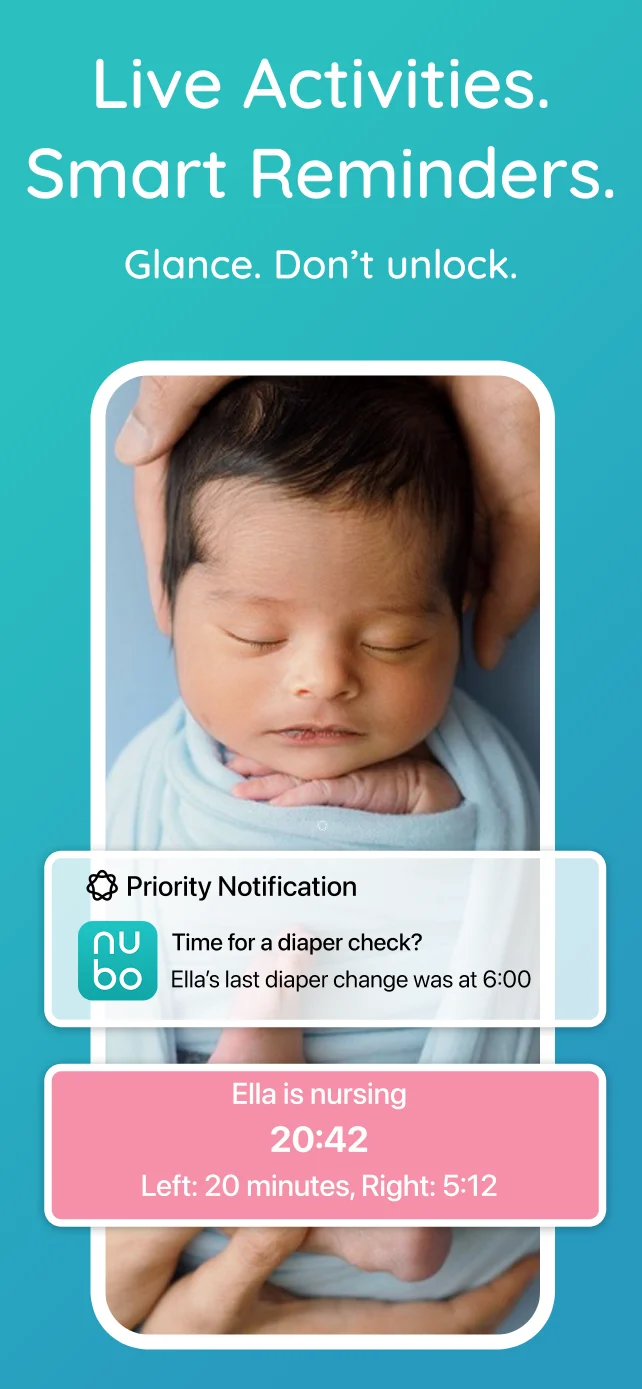
If you use Nubo Plus on iPhone, the Lock Screen Live Activity shows the baby’s latest feed and diaper. You can glance at the time and event without unlocking your phone. A sleep or nursing timer can appear there too, but the useful part of a shared care day is that the view is not limited to what you logged yourself.
The Lock Screen can reflect someone else’s care
Say your partner gives a bottle while you are out. They log it in the Nubo app, and the shared timeline updates. Your iPhone Live Activity updates with that feed, so the answer is there when you next look at your phone. The same applies when a grandparent logs a diaper or a Nubo device button press syncs into the timeline.
The device can hold a button press until a paired caregiver phone is nearby. If it has not synced yet, the Lock Screen cannot show that new event. Once it reaches the shared timeline, the view can catch up too. That small detail matters during handoffs: the screen reflects the record everyone is sharing, not a separate account of only your own taps.
A calmer handoff starts with the last few facts
The person taking over usually needs a starting point: when the baby last ate, whether there has been a diaper change, and whether a nap is underway. Those facts can get lost when one parent is leaving for work, a sitter is arriving, or everyone is passing the baby around at bedtime.
A shared caregiver timeline gives the fuller history. The Live Activity makes a few frequent questions easier to answer in the moment. If your partner logs a feed while you are driving home, you can glance at your phone after you park. If a grandparent changes a diaper while you make dinner, you do not need a running verbal report. That leaves the handoff conversation for details a log cannot capture, such as how the baby settled or what helped when they were upset.
Paper can work well for a caregiver who likes writing things down, and the full app is there when you need to review the day. The Nubo device helps when tapping a button is easier than opening a phone. The Lock Screen is the quick check after any of those Nubo logs reach the shared timeline.
The point is less to remember
You can still open the Nubo app for notes, patterns, and the full sequence of events. The Live Activity is for the smaller moment when your brain asks one question and you need one answer. With caregivers contributing to the same timeline, you can pick up care from where they left off without reconstructing the afternoon from texts.
For a more complete routine, see the returning to work caregiver handoff guide. It covers the standing information a caregiver needs and the daily details worth sharing.